



Storage
2 minute read.
The TrueNAS Storage section has controls for pools, snapshots, and disk management. This section also provides access to datasets, zvols, quotas, and permissions.
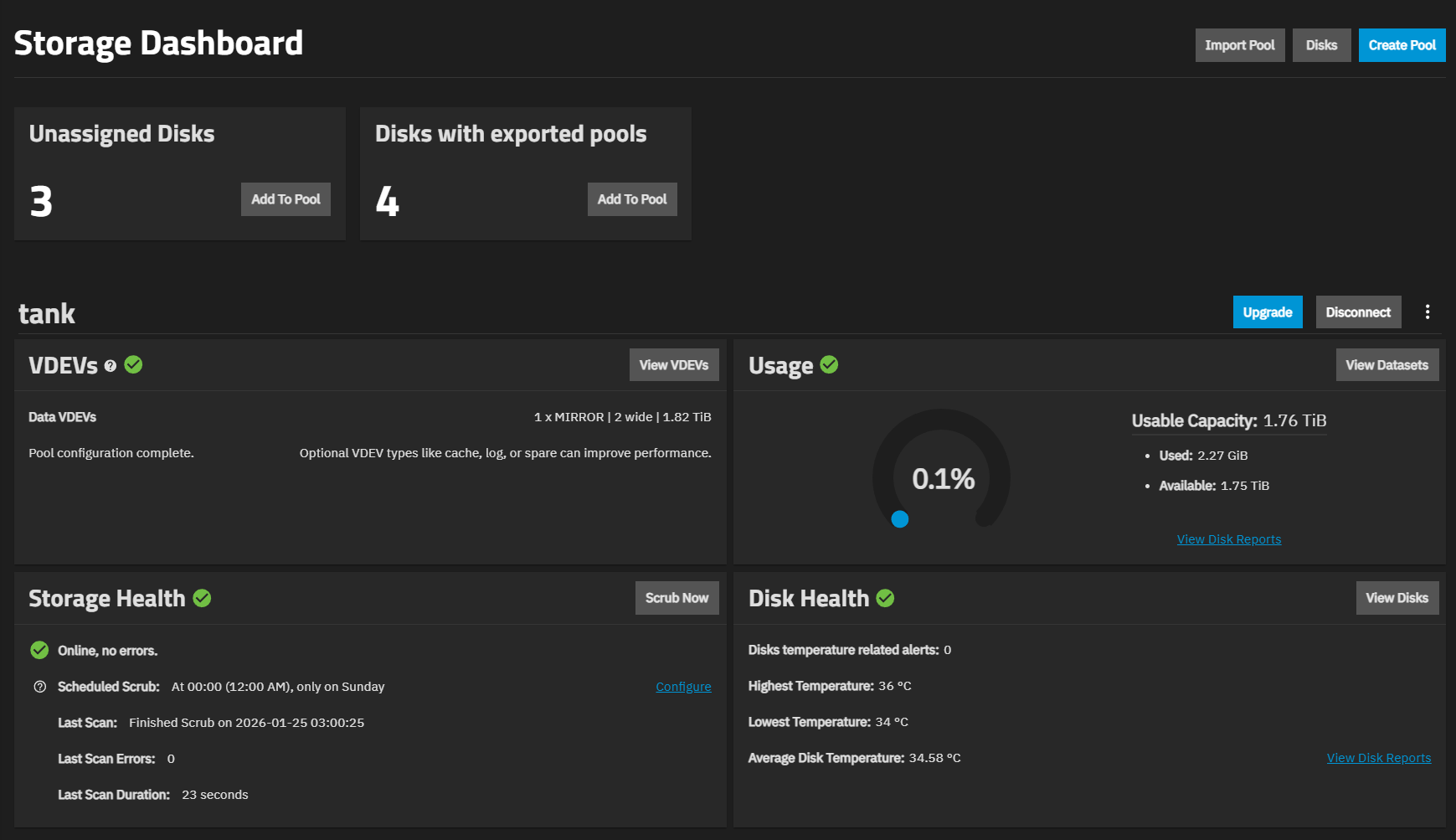
Use the Import Pool button to reconnect pools exported from the current system or created on another system. This also reconnects pools after users reinstall or upgrade the TrueNAS system.
Use the Disks button to access the Disks screen where you can manage, wipe, and import the storage disks that TrueNAS uses for ZFS data storage.
Use the Create Pool to open the Pool Creation Wizard where you can create ZFS data storage pools from physical disks. Pools efficiently store and protect data.
The Storage screen displays all the pools added to the system. Each pool shows statistics and status, along with buttons to manage the different elements of the pool.
The articles in this section offer specific guidance for the different storage management options.